
Shorter TLS/SSL certificate lifetimes help limit the impact of compromised certificates. For website owners, agencies and hosting teams, they also make reliable renewal more important: there is less time to recover when something goes wrong.
Let’s Encrypt’s next change affects its normal default certificates, not just people who opted into very short lifetimes. It is a good moment to check the whole renewal process, even if your certificates have renewed automatically for years.
What changes, and when?
In its 7 October announcement, Let’s Encrypt sets out these dates:
- 14 October 2026: its staging environment is scheduled to switch to issuing 64-day certificates by default, so you can test before the production change.
- 10 February 2027: newly issued and renewed certificates using the default profile will have a 64-day lifetime instead of 90 days.
- 11 May 2027: Let’s Encrypt expects the last remaining 90-day certificate to expire. Existing valid certificates will not be revoked as part of this transition.
The longer-term roadmap takes default lifetimes to 45 days on 16 February 2028. The separate, opt-in 45-day and six-day profiles already have shorter lifetimes.
For the wider industry background, see why TLS/SSL certificates get shorter lifespans.
Why “renew every 60 days” deserves a second look
Imagine a script that attempts renewal once every 60 days. With a 90-day certificate, that leaves roughly 30 days to recover if an attempt fails. With a 64-day certificate, it leaves about four.
That does not mean the certificate automatically expires on day 60. It means a failed attempt, an expired DNS API credential or a weekend without an available administrator can consume much more of your remaining time. Without timely retries, the next scheduled attempt would be too late. Once certificates last 45 days, the same 60-day interval is too long altogether.
There is an important distinction: a renewal tool that checks frequently and renews only when needed is not the same as a script that only runs once every 60 days.
Not sure what your setup uses? Let’s Encrypt suggests searching cron jobs, wrapper scripts and runbooks for hard-coded values such as 60, 80 or 83. Check what each value controls: an 80- or 83-day interval between renewal attempts would let a 64-day certificate expire before the next attempt.
Let renewal timing follow the certificate
Keep your ACME client—the software managing certificate issuance and renewal—up to date. Check whether it supports and uses ACME Renewal Information (ARI), which lets Let’s Encrypt suggest when a certificate should be replaced.
Without ARI, Let’s Encrypt’s integration guide recommends renewal when about one-third of the certificate’s lifetime remains. For 64 days, that is around day 43, not 43 days before expiry. This is a lifetime-aware rule, not a reason to replace one fixed calendar interval with another.
Run renewal checks frequently, allow retries after temporary failures, and make sure failures reach someone who can act. Most well-maintained automated setups should handle the change without major adjustments, but check the client’s actual behaviour rather than assuming.
A renewed certificate is not necessarily a deployed certificate
A successful renewal command is not the whole story. The replacement may still need to reach a load balancer, reverse proxy or web server, followed by a service reload.
For example, a new certificate can be present on disk while the website continues serving the old one. Verify the certificate actually returned by each relevant HTTPS endpoint after deployment. If you use a CDN, remember that its public certificate and the origin server’s certificate may have separate renewal processes.
If your hosting provider manages this for you, ask who owns renewal, how failed attempts are handled, and how successful deployment is verified.
Monitor what visitors receive
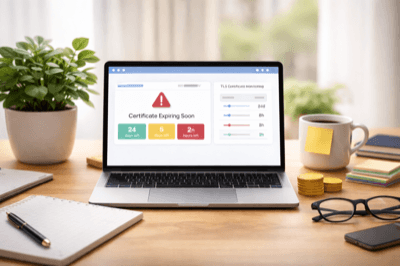
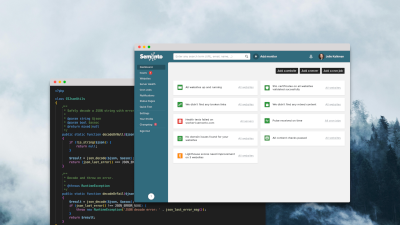
Independent certificate monitoring complements renewal logs by checking the public result. Semonto’s TLS/SSL certificate monitoring checks certificate validity and approaching expiry. It does not issue or renew certificates for you, and a public check does not automatically cover a separate origin behind a CDN.
Review your notification settings and recipients. Semonto’s certificate monitoring guide documents default expiry warnings at 14 and 5 days. Choose thresholds that leave time to investigate after a normal renewal should have happened, and check existing monitors separately when changing account defaults.
For self-managed scripts, cron job monitoring can add visibility when an expected check-in is missing. Our short-lived certificate guide explains how to combine this with renewal, reload and live-certificate verification.
Test before February
Use Let’s Encrypt’s staging environment to test the shorter lifetime once it is available. Staging certificates are not publicly trusted: keep that testing separate from your live website.
The useful outcome is not just a new renewal date. It is a verified process with timely retries, working deployment, independent monitoring and a clear owner when something needs attention.
Latest blogs

Tips and Tricks
DNSSEC's 2026 stress test: what to check before the October root-key rollover
Tips and Tricks
Chrome 154 will ask before HTTP: audit your forgotten URLs now
Tips and Tricks